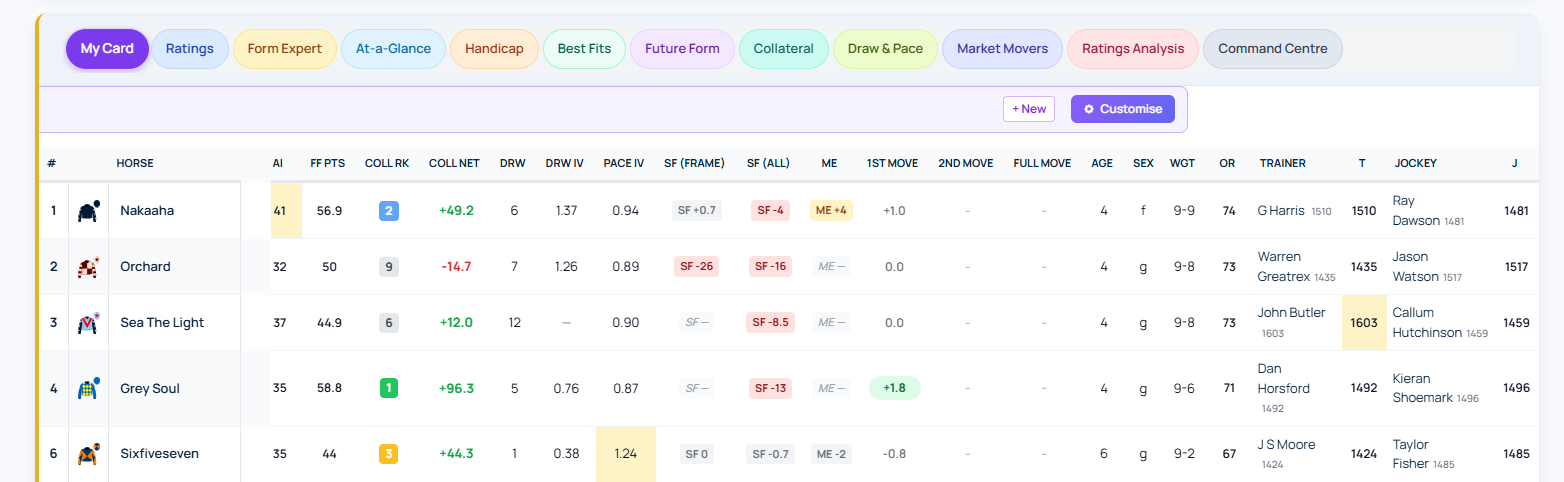
More features just dropped on our Custom Racecards
Freeze the first N columns
Wide racecards with 15 or more columns now scroll horizontally on smaller screens. When you scroll right, the identity columns at the left edge—Card #, Silks, Horse name—used to disappear. The new Freeze feature pins the leftmost columns to the edge so they stay visible regardless of how far you scroll.
Open the racecard builder and scroll to the Freeze row in the options pane. Select 0 (off), 1, 2 or 3 columns. A subtle separator line marks the frozen block on its right edge. The most useful settings are 2 columns (Card # and Horse name) or 3 columns (Card # + Silks + Horse name). Whichever columns sit leftmost in your canvas are the ones that freeze, so position your identity columns first.
Sticky header row
On long racecards with 16 or more runners, the column header row used to scroll out of view. Headers now stay pinned to the top of the scroll area so you can always see which column is which without scrolling back up. This feature is on by default with no configuration needed.
Combined with the column freeze, the top-left corner of the table holds its position against both scroll directions.
