Build Your Own Rating System with RaceMetrics Ratings Analysis
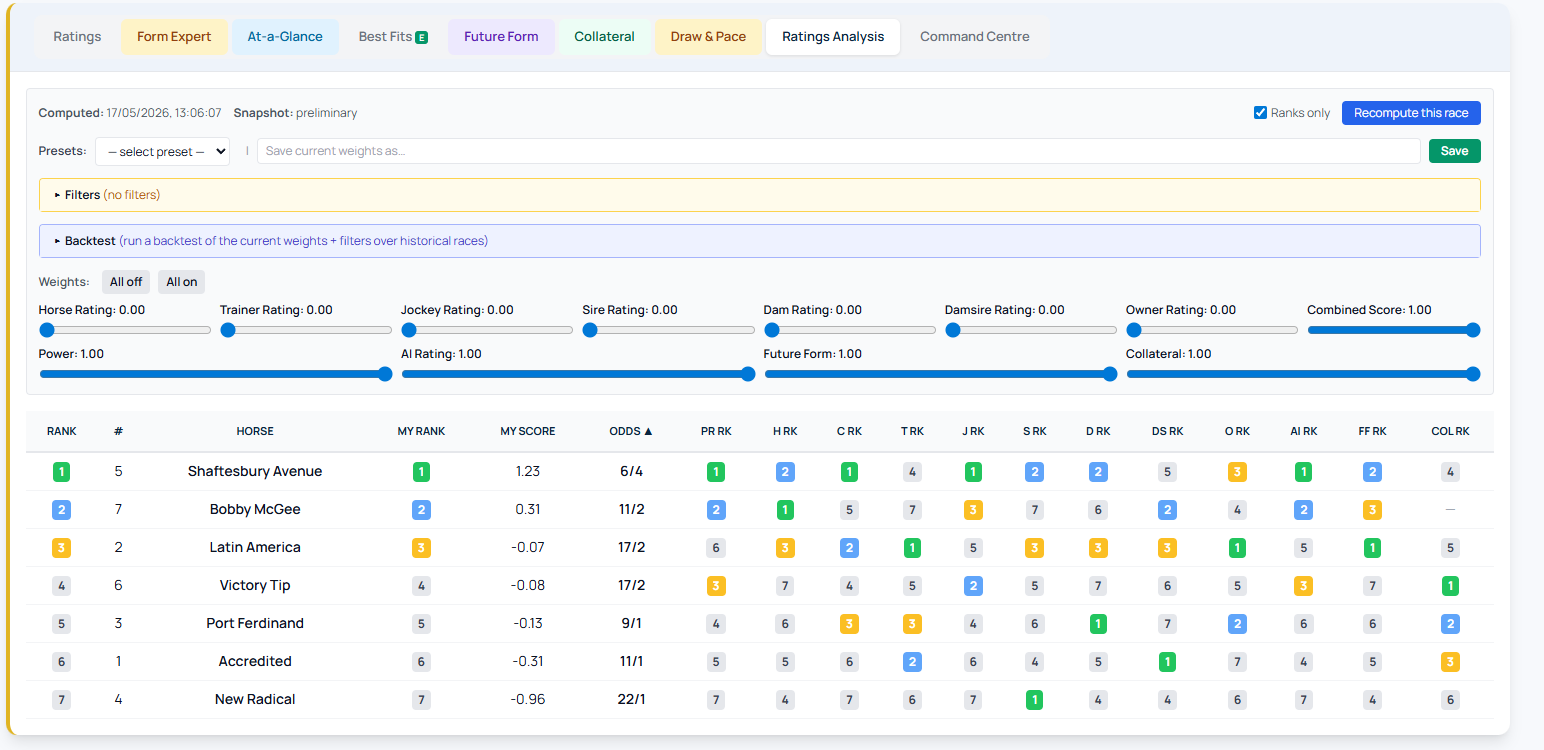
RaceMetrics Ratings Analysis lets you create a custom composite rating by blending up to 12 different data sources, then test it against thousands of historical races. The result exports directly into ProForm as a User Rating, ready for deeper analysis.
What You Can Combine
The twelve available ratings are Power, the seven RaceMetrics Ratings (Horse, Trainer, Jockey, Sire, Dam, Damsire, Owner), Combined Score, AI Rating, Future Form and Collateral. Each comes with the runner's within-race rank. Weight them however you prefer using slider controls — the system normalises all ratings to the same scale, so mixing different sources works without adjustment.
How to Access It
Open any race card and click the Ratings Analysis tab at the top of the popup, alongside Ratings, Form Expert and other tools.
Building and Testing Your System
Use sliders to assign weights to each rating. Set per-rating thresholds (top N rank, minimum value) and filter by runner conditions (age, draw, headgear, price range) or race conditions (class, distance, going, field size, handicap). Name and save your setup to use across any race.
Run backtests over a date range of your choice. Select results by Weighted Score or Top Rating (with tie-awareness), then break down performance by year, class, course, distance, going or race type.
Forward Qualifiers and Export
Your saved system automatically generates selections for upcoming races, so today's and tomorrow's qualifying runners appear without manual work.
Export as CSV with five core columns pre-selected (ProForm-compatible). Optionally add rating values, ranks, runner context, prices and settlement data. The file imports directly into one of ProForm's six User Rating slots for full System Builder access.
This brings ProForm's system-building approach to RaceMetrics' live data environment, combining both platforms' strengths in one workflow.
