My Card: Build Your Perfect Racecard
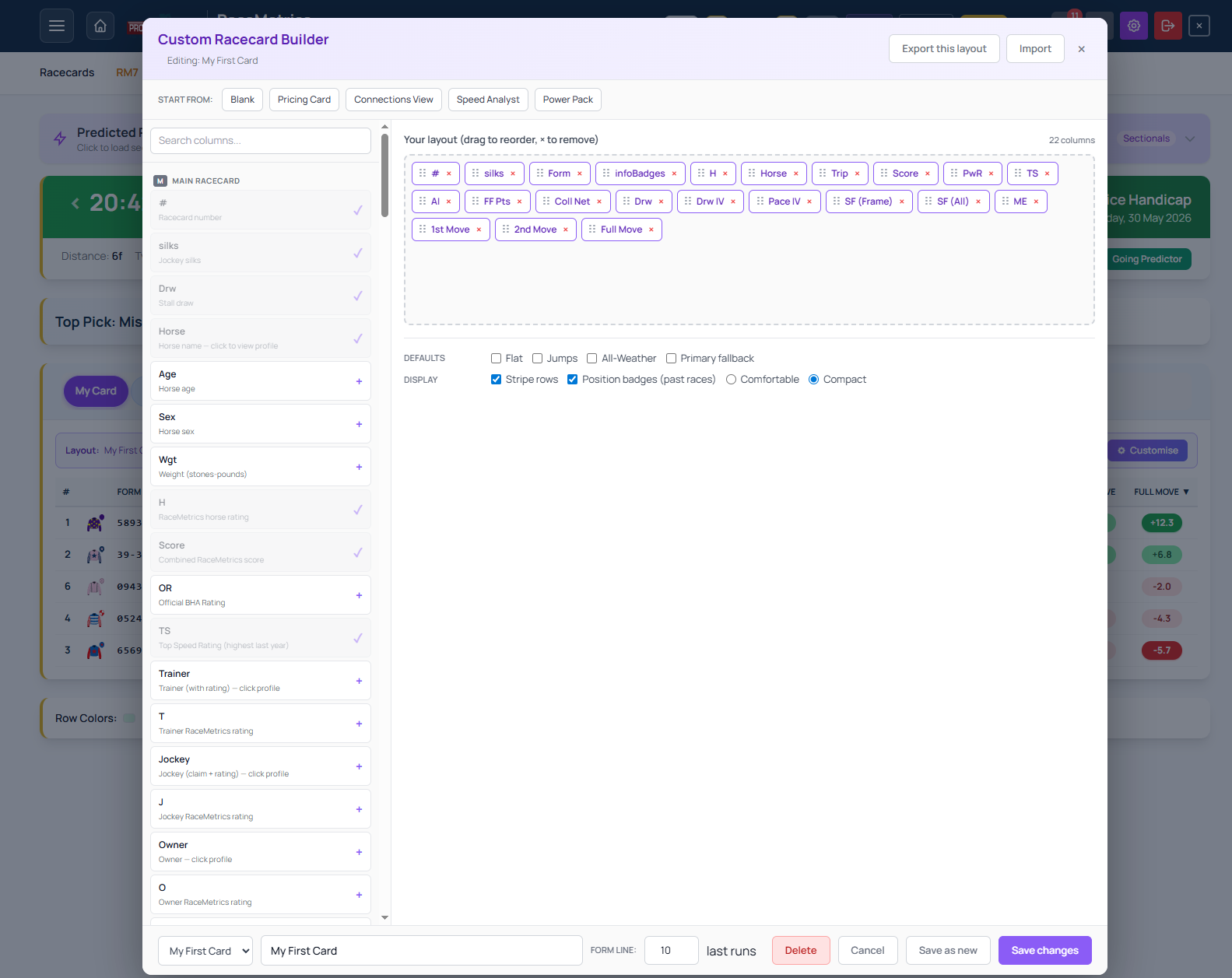
Every racing analyst wants different information. RaceMetrics My Card lets you build a custom racecard layout from over 100 data columns sourced across the platform's analytical tools — then save it, reorder it, and switch between layouts per race.
What you can add
The builder palette groups columns by source. You can draw from the Main racecard (horse ratings, form strings, course wins), Ratings Analysis (RaceMetrics composite ratings and ranks), Future Form (FF Points and opponent data), Draw & Pace (draw groups, pace styles, tactical scores), Trip Predictor (trip fit ratings and optimal conditions), Predicted Running Styles (early and late positions), Collateral Form (shared-data advantages), and Handicap data (Severity Frame scores and career OR ranges).
How to set it up
Open any racecard and click the My Card tab at the top. Click the Customise button on the layout banner to launch the builder. The palette appears on the left; your active layout sits on the right. Pick the columns you want, drag them to reorder, adjust form-line length, and save.
Why it matters
The standard tabs — Ratings, Form Expert, At-a-Glance — show fixed columns. My Card removes that constraint. If you want to compare draw position, pace style, trip fit, and collateral form side-by-side without switching tabs, you can. If another race demands different columns, save a new layout and switch between them instantly.
The builder draws from every analytical layer RaceMetrics publishes. That depth means your racecard can be as broad or as focused as your method demands.
