Three smaller touches that sharpen the numbers you already use
We've rolled out three focused improvements this week. None of them reinvent a feature — they just fix friction points that showed up in how members actually use the site. Here's what's changed and why it matters.
1. Profile time filters now go back a full decade
The time filter on every profile page (horse, trainer, jockey, sire, dam, damsire, owner) used to stop at Last 365 Days. If you wanted to look at a trainer's handicap record over the last three or four seasons, you were stuck with All Time — which pulled in everything, including ancient form that had nothing to do with the current stable.
We've added Last 2 Years through Last 10 Years as options, so you can slice any profile at the period that's most relevant to you.
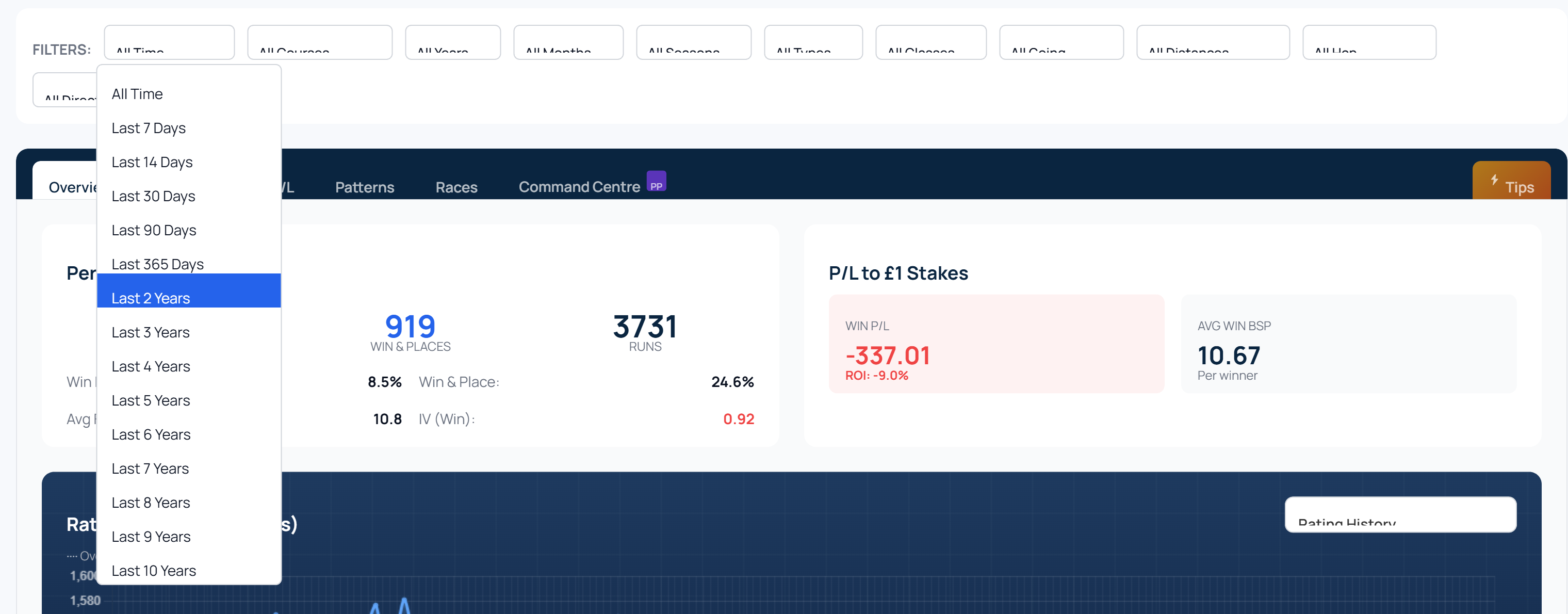
Where it matters most: the Breakdown and Patterns tabs. Viewing a trainer's going breakdown over the last 5 years gives you a cleaner read on current preferences than pulling in their whole career.
2. Draw & Pace: filter by going condition(s)
The Draw & Pace tab on any racecard popup (Enterprise feature) previously showed stall bias, pace style and Draw × Pace heatmap data from every going the course has raced on over the last 5 years. That's fine for an average read — but a 5f Soft-going race at Catterick behaves very differently to a 5f Good-going race.
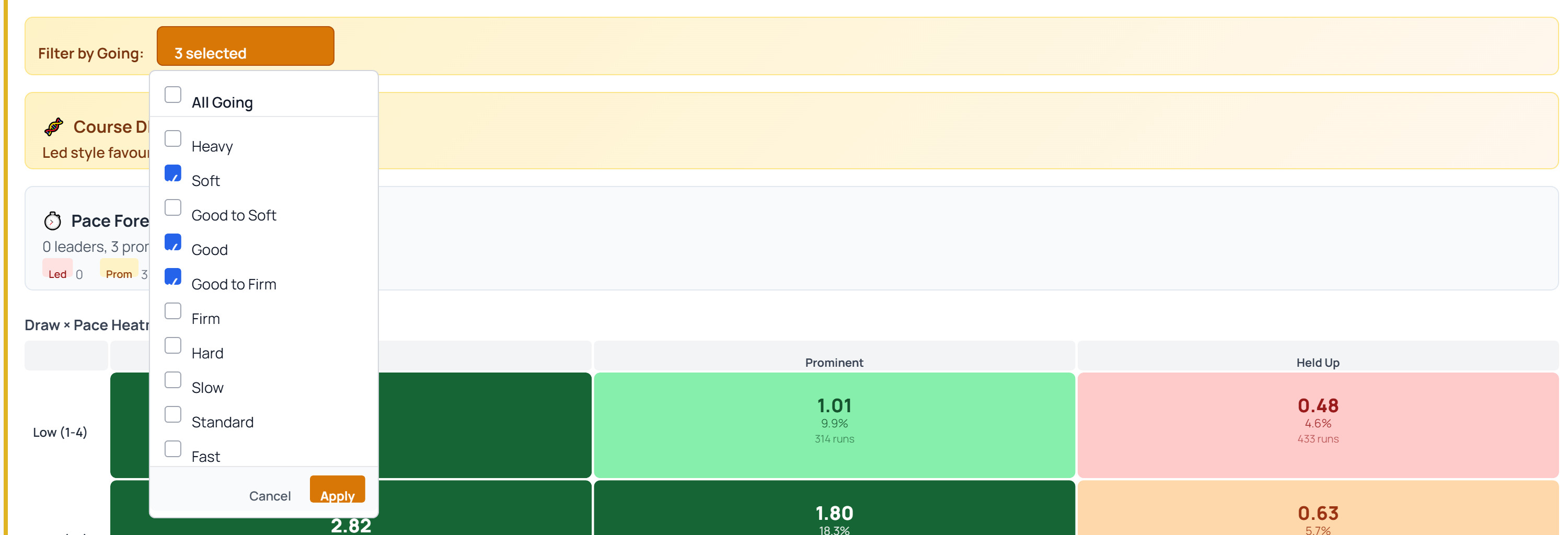
You can now filter the entire analysis to one or more going conditions, via a multi-select dropdown at the top of the tab.
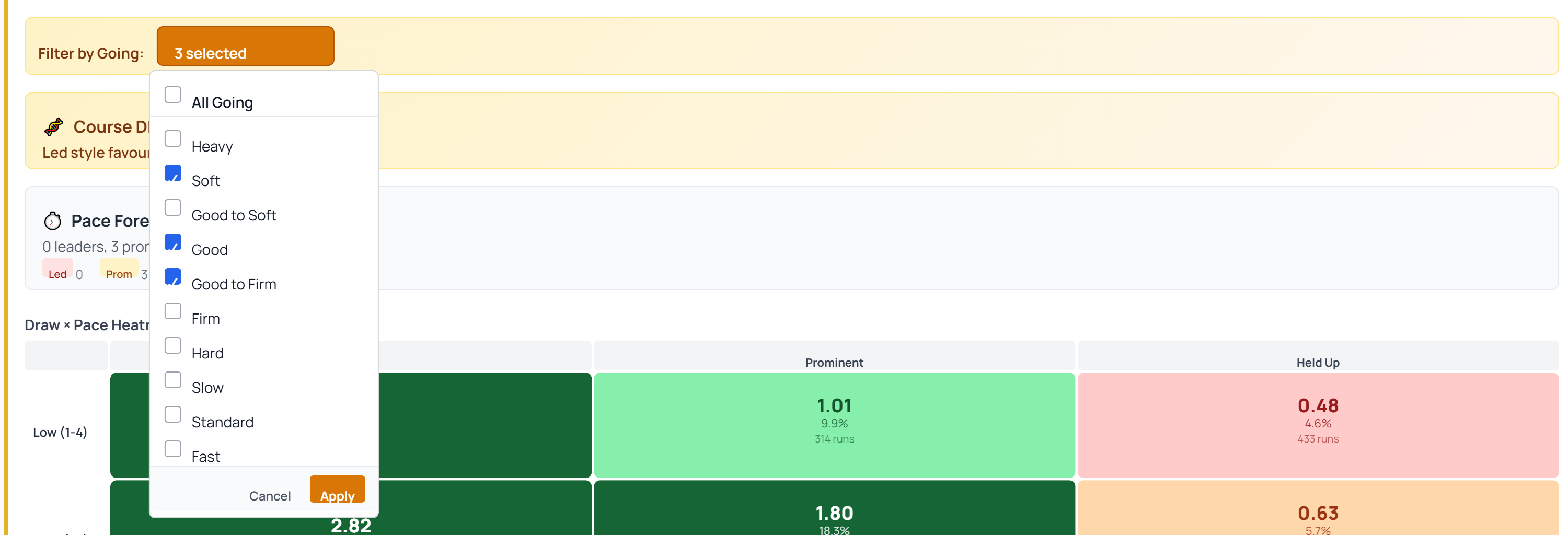
A few design choices worth calling out:
- Nothing refetches until you click Apply. Early versions auto-refreshed after each tick, which got annoying when you wanted to adjust 3–4 boxes. The dropdown stays open while you build your selection; one round-trip happens on Apply.
- Everything respects the filter — stall bias, pace style stats, Draw × Pace heatmap, and per-horse pace profiles. No mixing of all-going averages with filtered breakdowns.
- Selection persists across races. If you filtered to Good / Good to Firm, the next racecard you open inherits the same selection.
Note on pace profiles: with a restrictive going filter (e.g. Hard only), runners may have no prior runs on that going. The pace breakdown will show zero for those horses — that's correct behaviour, not a bug.
3. Form Expert distance filter: now exact, not rounded
This one is the subtlest fix but the one that changes the numbers the most.
The Form Expert Distance column (and its drill-down) used to match a horse's past runs on truncated furlongs. So for a 5f race at Curragh (1,100 yards), it counted 5f, 5f 110y, 5f 160y, 5f 205y — effectively treating everything under 6 furlongs as "the same distance". 5f 205y is 1,305 yards, within 15 yards of a full 6 furlongs. Not 5f in character at all.
The filter now uses exact distance with a half-furlong tolerance either side of today's race. For that Curragh 5f: 990 to 1,210 yards only. A horse whose prior "5f" runs were all at 5f 205y will correctly show 0 runs at today's distance.

Two places in the UI changed as a result:
- Form Expert Distance column header now shows the exact distance (e.g. "5f", "5f 205y") rather than the bucket label ("5f-").
- Form lines drill-down (clicking a number in any category) also uses the exact-yards filter when Match Race or Match Distance is on, and displays the exact distance of each past race rather than the rounded distance.
Why these three together?
They share a theme: every one of them used to round off an edge of the data in a way that was defensible individually but added up to noise. Truncated furlongs, mixed-going draw stats, a one-year ceiling on time windows — each was a small compromise. Sharper, narrower filters let the numbers earn their keep.
No action needed on your end. All three changes are live on every relevant page.
